

UniFi Installation Cost in Los Angeles
We do not publish a price list, because a number per camera or per hour hides what makes one job different from the next. Here is what moves the price, how we price, and the fastest way to get a real number.
- C-7 #1050088
- UniFi Certified Partner
- 5.0 stars on Google and Yelp
- LA Metro

 01 / WHAT MOVES THE PRICE
What changes the price of a UniFi install
Seven things decide most of it. Your estimate shows how each one applies to your site.
Camera count and coverage
The number of views you need sets the number of cameras, and the views are not the same as the rooms. Entries, driveways, side yards and blind spots each count. Indoor or outdoor, night detail, and how many days of footage you want kept change the cameras and the drives.
Cabling runs and building type
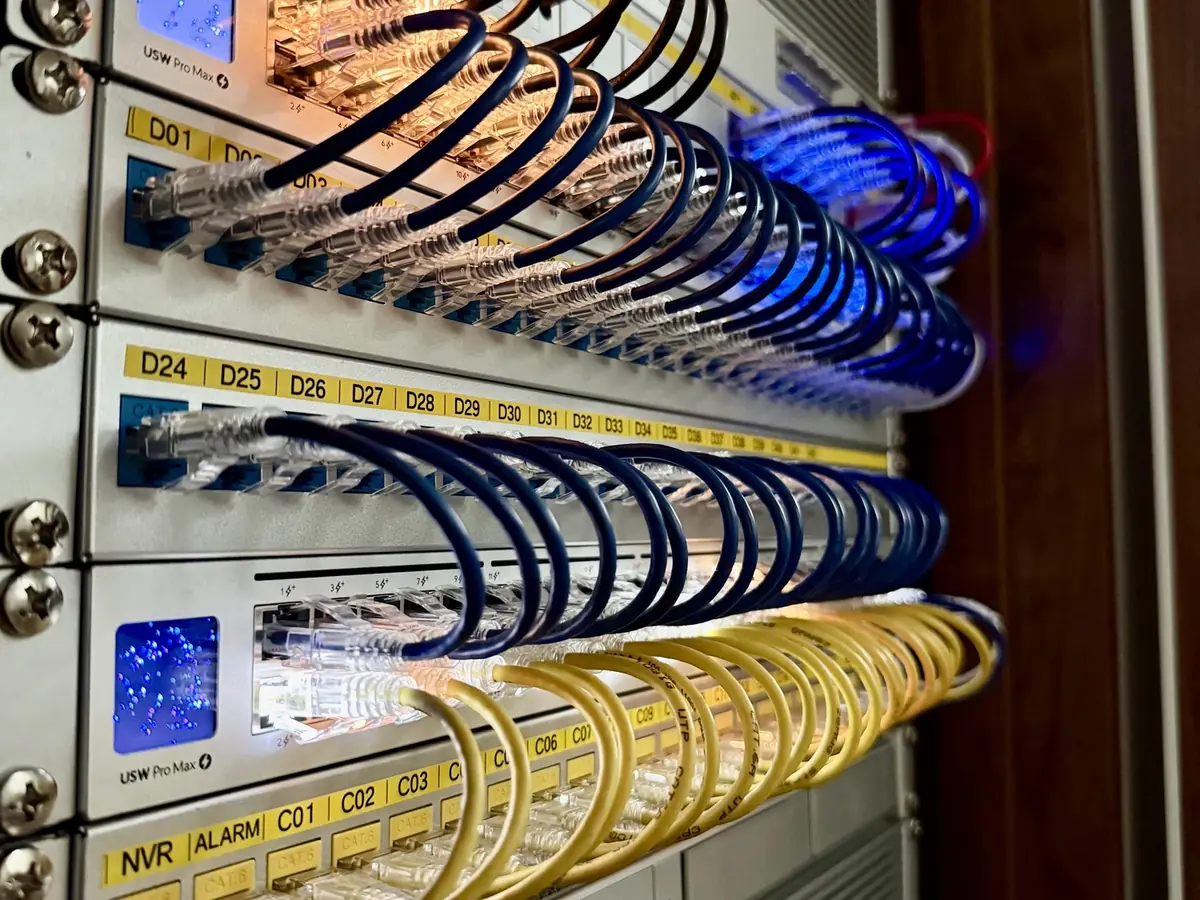
A single-story home with attic access is a different day than a finished two-story house with stucco, a concrete building or a hillside lot. Run length, conduit, crawlspaces and finished walls decide how much time the cable takes. Cameras get CAT6. Data drops and Wi-Fi access points get CAT6A.
Access point count and the RF environment
The layout and the materials decide how many access points you need, not the square footage. Thick walls, metal, glass, a busy neighborhood and outdoor areas all add to the plan. A site survey measures this when you want certainty, and depending on the deployment we do a pre-install site survey and Ekahau report.
Access control doors
Each door is its own small project. The door type, the lock, the exit rules and the power-loss behavior all matter, and an existing electric strike can often stay. Every situation is different, and we aim to meet your requirements. Gates are a separate item. We add UniFi Access intercoms and gate hubs that connect to your existing gate operator.
Rack and network size
More devices mean a larger switch, a bigger PoE budget, a gateway sized for the traffic, a UPS and a proper rack or enclosure. Fiber between buildings or floors is part of this too.
Permits, lifts and access
Tall exterior walls can call for a lift. Some buildings need approval, an elevator reservation or work outside business hours. When a job needs any of this, it is in the estimate.
Existing infrastructure
Usable cable, existing conduit and a clean rack save work. Old systems that must come out, or cable that has to be traced and fixed, add to it. We look at what you have before we plan around it.
How our pricing works
We price the whole project, not the hour or the device. After a site walk, you get a written estimate that says what we will install, where, and what is included. You pay for the project. There are no monthly fees to us for the system afterward.
We are never the cheapest, and that is on purpose. Rate numbers do not show the value of the work: the right camera views, cable that stays in the wall for years, a rack someone else can read, and a system that is set up properly on day one. We would rather scope the job right than win it on the lowest line.
What is included
- A site walk and a written scope that says what we will install and where.
- Design of camera positions, access point positions, door hardware and cable paths.
- Every cabling run labeled at both ends, terminated on a patch panel and tested: CAT6 for cameras, CAT6A for data drops and Wi-Fi access points.
- Installation and mounting, with the cable paths left tidy.
- Configuration of the UniFi gateway, switches, access points, cameras and doors.
- Testing, a coverage check by walking the property after a Wi-Fi install, then a walkthrough so you know how to use and manage it.
- Repairs and maintenance as needed after the job.
02 / THE FASTEST WAY TO A NUMBERGet a ballpark with Sight
Sight gives a ballpark estimate for both equipment and installation when you sketch your property. It takes various elements into account, such as existing versus new cabling and exterior versus interior runs. Enter your address, sketch your property on an aerial view, and get a ballpark. It is free, there is no account, and it takes about two minutes. It is a ballpark, not a quote. We confirm the plan on a site walk.
Ready for a real number? Request an estimate and tell us about the site.
Ways to keep the cost sensible
- Run cable while walls are open. A remodel is the easiest time to add drops.
- Decide what you want to see before you pick a camera count.
- Start with the core and add later. UniFi grows by adding devices, so the first phase does not box you in.
- Keep door hardware that works. An existing electric strike can often stay, though every situation is different.
- Bundle cameras, Wi-Fi and cabling into one visit when you can.
See the work behind the estimate
Each service page explains how we plan the job: security cameras, Wi-Fi, structured cabling and access control. To size the recorder, use the storage planner. We are a UniFi Certified Partner, see UniFi installer in Los Angeles, and we work across our service areas, including Sherman Oaks, Studio City, Beverly Hills and Santa Monica and the Westside.
It depends on the site: the camera count, the cable runs, the building, the access point count, the number of doors and the size of the rack. We do not publish a rate, because a number per device or per hour hides what the job involves. Sight gives you a ballpark for the equipment and the installation in about two minutes when you sketch your property. Request an estimate when you are ready for a real number.
No. UniFi Protect records to your own hardware and the system runs on your network. You pay for the project. There is no monthly cloud fee to us for the system afterward.
We can talk through the project and tell you what matters most. A real estimate needs a look at the site, or at least a sketch, photos or a floor plan. Sight is the quickest start: sketch your property and get a ballpark for equipment and installation.
A written scope: what we will install, where, with which cable and equipment, and what is included. If the job needs a lift, a permit or building approval, it is listed.
No. It is a starting number from your sketch. It takes various elements into account, such as existing versus new cabling and exterior versus interior runs. We confirm the details on a site walk, and that sets the price.
Yes. We price the whole project, not the hour or the device, and each one is scoped to the site. Wi-Fi site survey prices are published on the survey page. For everything else, sketch your property in Sight for a ballpark or request an estimate.
We hold California C-7 license #1050088 and are a UniFi Certified Partner. We carry insurance and can issue certificates naming additional entities on request.
Yes. We are primarily focused on UniFi, and we also service and troubleshoot other systems. Tell us what you have and we will say plainly whether it is worth fixing, keeping or replacing.