Yes, you can keep the Spectrum modem and run a UniFi network behind it, with a few caveats covered below. It is one of the most common setups we plan, and it is usually the simplest way to get a proper gateway, switches and Wi-Fi without touching the internet service itself.
The modem stays. The ISP’s router goes, or gets switched out of the picture. UniFi takes over routing, Wi-Fi and everything else in the house or office.
Why keep the modem at all
The modem is the ISP’s equipment. It talks to their network, they provision it, and they swap it when it fails. There is no upside in fighting that. What you want to remove is the router function that comes bundled with many ISP boxes, because two routers in a row cause problems you do not need.
Keeping the modem also keeps the ISP’s phone number useful. If the line goes down, they can test the modem on their side without wondering what is plugged in behind it.
What double NAT is and why it hurts
NAT is how a router lets many devices share one public address. If the ISP box does it and your UniFi gateway does it again, you have double NAT. Most things still load, so people live with it. But some things get flaky:
- Port forwards and traditional VPN servers, which double NAT mainly breaks. UniFi’s own remote access (Remote Management, Teleport) is outbound and does not depend on inbound ports.
- Video calls and gaming that depend on predictable connections.
- Anything else that assumes one router.
- Troubleshooting, because the ISP box hides what is actually happening.
The fix is to make the UniFi gateway the only router. In most Spectrum installs the modem and Wi-Fi router are separate boxes, so we plug the UniFi gateway into the modem and retire the Spectrum router. If your unit is an all-in-one gateway, we check with Spectrum whether it can be set to bridge mode.
Spectrum caveats to know first
- Customer-owned modems must be on Spectrum’s authorized list, and they are only for non-symmetrical tiers.
- Symmetrical tiers need a Spectrum-provided modem.
- Spectrum Home Phone does not work with customer-owned modems.
- Spectrum supports only its own equipment and gives no technical support for personal routers, so expect them to stop at the modem and the line.
What we check before cutover day
A UniFi cutover goes smoothly when the boring things are ready. Our short list:
- The modem is installed, powered and online at the spot where the equipment will live.
- We know whether the ISP unit also handles Wi-Fi or a phone line, so nothing quietly stops working. Spectrum Home Phone does not work with customer-owned modems.
- There is a clean path from the modem to the gateway, and from the gateway to the switch.
- Someone with the ISP account is reachable in case the modem needs a nudge.
ISP service activation and account changes stay with you and the ISP. We do not provision internet service. We build the network behind it.
The cutover itself
On the day, the order is simple. We connect the modem to the gateway’s WAN port and confirm the gateway gets an address from Spectrum. If the gateway doesn’t get an address, power-cycle the modem. Then the switches and access points come up, we adopt everything into UniFi, and we turn off any leftover Wi-Fi from the old box so it does not compete with the new radios.
After that we walk the space with a phone, check that the roaming is clean and that cameras and doors report in. Then you get the admin login and a quick tour. UniFi Network runs on your own gateway, and UniFi Protect has no licensing fees.
Picking the gateway
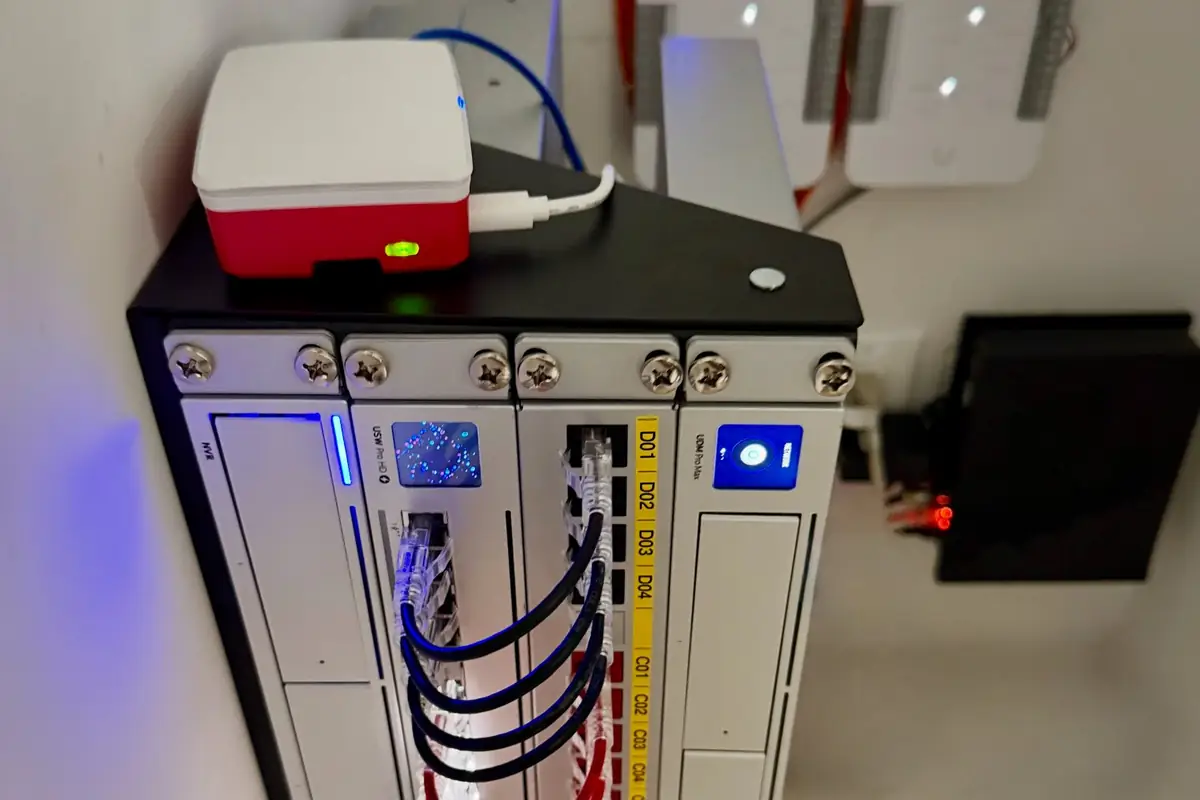
For a full home or a small office with cameras and doors on the same system, a Dream Machine Pro Max runs Network, Protect and Access, and supports up to 15 4K cameras. A Cloud Gateway Fiber also runs Protect and Access, but it supports up to five 4K cameras. Larger counts need a Dream Machine Pro Max or a dedicated recorder. The right one depends on how many devices, cameras and doors you plan to add. We confirm current models and pricing at store.ui.com before quoting, since availability and tariffs move.
Cabling matters more than the box
A gateway does not fix a weak cable plant. We run Cat6A for data drops and access points, and Cat6 for cameras, labeled at both ends and tested. If your walls already hold decent cable, we test it and reuse what passes. Our Cat6 vs Cat6A comparison explains where each one fits, and our structured cabling service covers the pathway work.
For the Wi-Fi side, see how Wi-Fi 7 access points change what a wired backhaul is worth, or read the overview of UniFi business networks.
What about other gear you already own
We work primarily in UniFi, but we also service and troubleshoot other systems. If you have a mesh, a smart home controller or something older that needs to keep working, tell us early. We plan around it, and we say up front what we will and will not touch.
FAQ
Can I keep the ISP router and add UniFi Wi-Fi?
You can, but you will likely have double NAT. Retiring the Spectrum router is cleaner, or on an all-in-one gateway, ask Spectrum whether it can be set to bridge mode.
Will the ISP support me with my own router?
Spectrum supports only its own equipment and gives no technical support for personal routers. If the modem shows a good signal and a connection, the rest is on your network, which is what we maintain.
Do I need a new modem for UniFi?
Usually not. If the current modem is healthy, it stays. Customer-owned modems must be on Spectrum’s authorized list and are only for non-symmetrical tiers. Symmetrical tiers need a Spectrum-provided modem.
Does this work for a business location too?
Yes. The same logic applies, and we add VLANs and guest networks so staff, visitors and devices stay separate. Our Wi-Fi installation service covers the design.
Get a plan
Request an estimate. If cameras are part of the plan, sketch your lot in Sight for a ballpark before we talk, or contact us and we will start from what you already have. For ongoing help, see our UniFi support services.