“VPN” on a UniFi gateway is not one setting. There are several, and they solve different problems: one person reaching the network from away, a laptop or phone joining, or two locations acting as one network. This note sorts them out using Ubiquiti’s documentation.
We work primarily in UniFi, and we also service other systems. Everything below is about UniFi gateways. Ubiquiti changes names and menus often, so treat the current Help Center article for your gateway as the final word.
The three kinds
Ubiquiti’s introduction says UniFi gateways support three types of VPN:
- VPN Server: runs on your gateway so people can connect to your network from outside. Supported protocols: OpenVPN, WireGuard and L2TP.
- VPN Client: sends your internet traffic through an externally hosted VPN server. Ubiquiti lists up to 8 clients using OpenVPN or WireGuard.
- Site-to-Site VPN: joins two or more remote networks so they can share resources as if they were in one site. Supported protocols: OpenVPN and IPsec.
Most homes and small offices need the first or the third. The VPN Client is for sending traffic out through a VPN service, which is a different goal.
Teleport: the easy remote option
Teleport is Ubiquiti’s one-click way to create a VPN server and add users. It uses the WiFiman app on iOS, Android or desktop and is powered by WireGuard. Per Ubiquiti:
- It is available on Next-Gen gateways and UniFi Cloud Gateways running UniFi OS, under Network Settings, then VPN.
- You generate an invitation and send it. The invitation expires in 24 hours and works for one device at a time.
- You can revoke access. A pending invitation is revoked in Invitation History, and an accepted one is removed from the Client Devices list.
- Teleport works when the gateway and the client are both behind NAT, which traditional VPNs such as L2TP struggle with.
- In some circumstances it needs an IPv6 connection on the gateway’s WAN. It does not need IPv6 on the LAN.
Ubiquiti recommends Teleport for mobile devices. For laptops, it recommends Teleport and WireGuard over OpenVPN.
OpenVPN, WireGuard and L2TP servers
These are the manual VPN servers. You enable one in the Network application, add a user, and share a configuration file or profile. A few facts from Ubiquiti’s OpenVPN article: it requires a Next-Gen UniFi gateway or UniFi Cloud Gateway and Network application 7.4 or newer, it gives lower throughput than WireGuard, and if the gateway is behind NAT the VPN port must be forwarded by the upstream router. Ubiquiti recommends running it on a gateway that has a public IP address, because problems on the upstream router can disconnect the VPN.
Site-to-Site and Site Magic
To join two locations you can use an OpenVPN or IPsec site-to-site VPN. For connecting UniFi gateways to each other, Ubiquiti offers Site Magic, an SD-WAN feature built on Site Manager. Ubiquiti describes it as a way to establish connectivity without concern for subnet overlap or NAT traversal, and without the manual setup of a traditional site-to-site VPN.
To connect to a third-party gateway, Ubiquiti has an IPsec article. Two of its notes: UniFi gateways use route-based VPNs by default, and both ends must use the same type; and UniFi gateways support Main Mode only, so a third-party gateway using Aggressive Mode cannot connect.
Do you need a VPN just to see cameras?
Often not. Ubiquiti describes Protect as combining on-premise video storage with remote management, and its setup guide uses the Protect mobile app and Site Manager at unifi.ui.com, both signed in with a UI account. A VPN is for reaching the network itself, such as the admin pages of devices, a NAS or other local resources.
What your internet needs to provide
Ubiquiti states that port forwarding and most VPNs, with Teleport the exception, need a public IP address, and that a static IP keeps the connection stable over time. It also notes that port forwarding traffic is not encrypted by default and that security falls on the exposed device. For that reason we do not recommend exposing cameras or door hardware by port forwarding. A VPN lets users prove who they are first, and Ubiquiti notes it keeps the internal network hidden from public exposure.
If the internet service sits behind a router you do not control, we check how it reaches the gateway before choosing. Our note on keeping the ISP modem covers that setup.
Which one for which job
| Goal | Option |
|---|---|
| One person, phone or laptop, reaching home or office | Teleport |
| A few people, with profiles you manage | WireGuard or OpenVPN server |
| Two UniFi sites acting as one network | Site Magic |
| A UniFi site joined to another maker’s gateway | IPsec site-to-site |
| Sending your traffic out through a VPN service | VPN Client |
FAQ
Is Teleport safe?
Ubiquiti says Teleport uses WireGuard to encrypt traffic and that it does not store your data. Access is controlled by invitations you issue and can revoke.
Do I need a public IP?
For most VPNs and port forwarding, yes. Ubiquiti lists Teleport as the exception.
Can I run more than one VPN?
Ubiquiti says Teleport does not reserve addresses or ports and can be used alongside other VPNs, and that OpenVPN can be used alongside other VPNs.
Will a VPN work with a backup internet link?
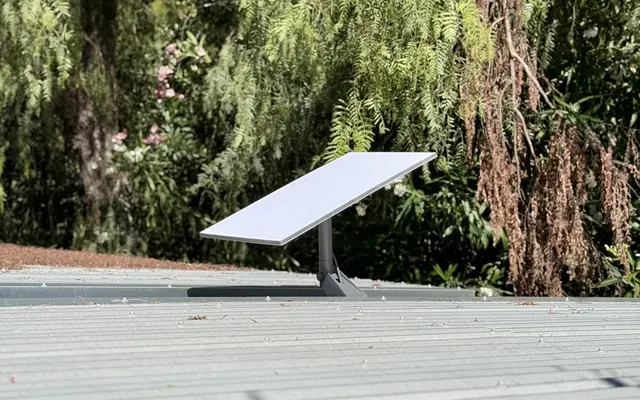
That depends on the gateway and on how the backup link is set up. We check it during planning. See Starlink as a second internet link.
Get a plan
Request an estimate. Tell us how many locations there are, who needs to connect and what for, and we will match the option to the gateway. Contact us, or see our UniFi network setup.
Sources
- UniFi Gateway: Introduction to VPNs, Ubiquiti Help Center
- UniFi Gateway: Teleport VPN, Ubiquiti Help Center
- UniFi Gateway: OpenVPN Server, Ubiquiti Help Center
- UniFi Remote Access: VPN and Port Forwarding, Ubiquiti Help Center
- UniFi Gateway: Site-to-Site IPsec VPN with Third-Party Gateways, Ubiquiti Help Center
- Getting Started with UniFi Protect, Ubiquiti Help Center