Gbit Tech (818) 809-6743 SIGHT
C-7 #1050088  ·  Liability insured  ·  UniFi Certified PartnerNever the cheapest. Built to last.

How we plan a UniFi install with SIGHT Pro

Job notes5 min read
Rack hung on the wall under the in-ceiling speaker, switch lit and the cable dressed.

A UniFi install goes wrong when the quote is a guess. We plan it on the property, device by device, before anything is ordered.

The free walkthrough

We stand at each spot before we quote. The eave where a camera has to see the gate. The attic hatch. The wall where the rack will hang. A photo from the driveway does not tell us if the cable can get there.

The walkthrough is free.

The jobs on the Projects hub started this way. The plan named the devices. The install put in those devices.

The Sight ballpark

Before that walk, anyone can open Sight. You sketch the lot, place cameras, WiFi and doors, and see the coverage cones. Sight then shows a ballpark for the project. It is not the estimate. We do not treat it as one. The walk is where the plan gets specific.

SIGHT Pro

On the walk we use SIGHT Pro. It is our field tool. The screens here are from a sample walk we keep for the tool. They are not a customer job.

SIGHT Pro new walk form, with empty customer, address and phone fields and a Start walk button
Start the job. A new walk opens with empty fields. Nothing is placed until we are standing on the property.
SIGHT Pro Walk screen with a gateway, a switch, two cameras and an intercom placed inside a blank lot line
Place the devices. We stand at the spot and drop the pin: camera, switch, gateway, intercom. The lot on the sample is a blank outline. The pins are the plan.
SIGHT Pro device card for CAM1, a G6 Pro Turret, showing a 114 degree view and 131 foot IR, with the line drag the dot to turn
Aim and the view cone. Pick the camera. The tool shows the published view angle. CAM1, a G6 Pro Turret: view 114 degrees, IR 131 ft. Drag the dot to turn it.
SIGHT Pro mount still with a cyan view cone and an aim handle labeled CAM1, on a blank background
On the mount still, the cone shows where that view lands. The still in this sample is blank on purpose, so no property is in the frame.
SIGHT Pro aim card at 210 degrees, with five degree nudge buttons and Wide selected next to Zoom
Wide or zoom. The aim card is the lens. Wide or Zoom, five degrees at a time, and the heading in degrees.
SIGHT Pro all devices list for the sample walk: two cameras, one switch, one door and one gateway
The device list. Every pin is on one list: cameras, the switch, the door, the gateway. We can see what has been looked at and what is still open.
SIGHT Pro job notes, with a prompt for a gate code, attic access, existing cable and client asks
Notes. A gate code, attic access, cable that is already in the wall. The note stays on the job, so the estimate is not written from memory the next day.

Those pins and runs are what the Design Center layout is drawn from. The proposal is written from that layout, not from a second list.

The UniFi Design Center layout

The walk becomes a floor-level plan. Every device is on it, and every cable run goes back to the switch. We check coverage and open switch ports before we order.

UniFi Design Center plan on navy: cameras, access points, a gate, a door and data jacks, each with a cable run back to one switch

The sample plan. Each device, and the cable back to the switch.

Recorder retention for the sample plan: high and low quality days, recording per day, drive space used, and free drive bays

How long the recorder keeps video for that plan.

The proposal

The estimate is built from that layout. The devices on the plan are the devices on the estimate. The cable runs on the plan are the runs in the estimate. We do not add gear at the desk that nobody stood in front of.

The install matches the plan

Hillside home cameras, intercom and rack is one of these. We walked a hillside home in LA with SIGHT Pro, then installed the cameras, the doorbell, the intercom and the rack the plan named.

Rack hung on the wall under the in-ceiling speaker, switch lit and the cable dressed.

Hillside home cameras, intercom and rack

Two more, planned the same way.
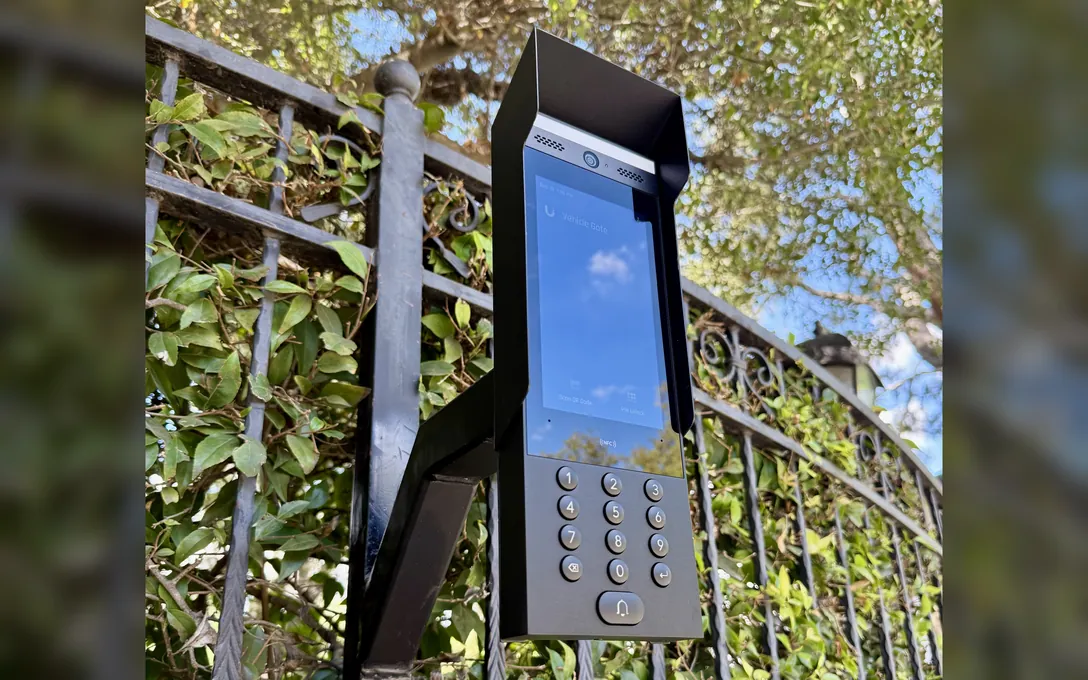
UniFi intercom with keypad mounted on an iron driveway gate

Gated home UniFi intercoms, rack, fiber and cameras. Intercoms at both gates, a labeled rack, fiber, and the cameras. The plan had to hold all of that before the first device was ordered.
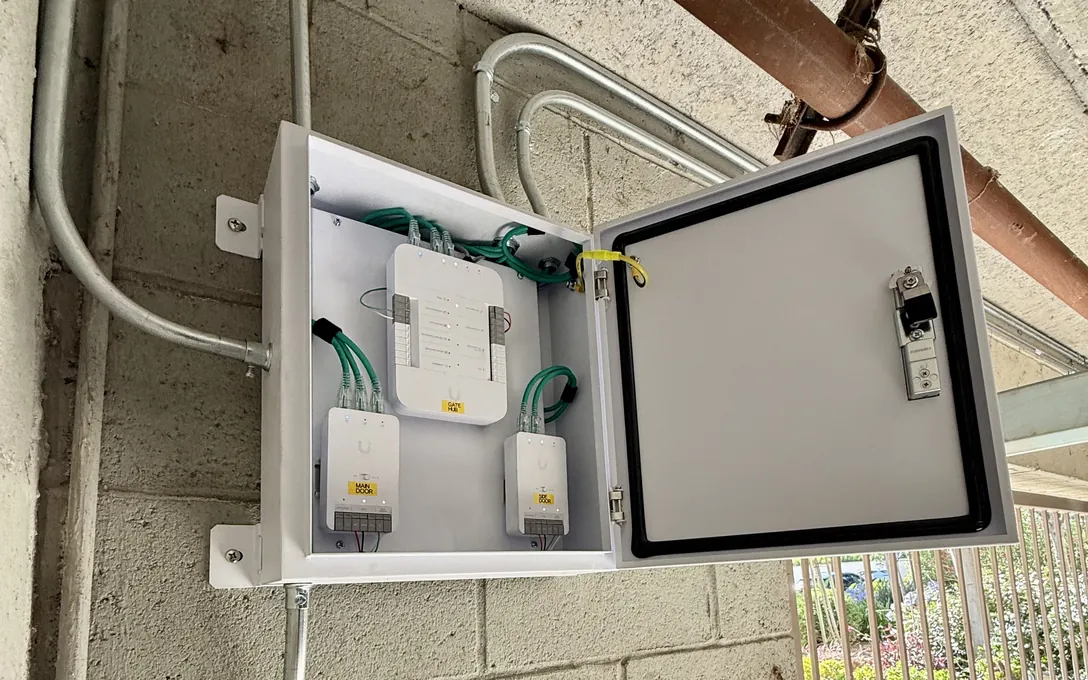
Three labeled UniFi Access hubs in a weatherproof enclosure

Gate and intercom upgrade with UniFi Access. One pedestrian gate: new cable, a G3 Intercom set in the pillar, and the hubs labeled in one enclosure.

More of the work is on the Projects hub.

More field notes

All field notes →

Tell us about
the property.

Send a few details and photos. We reply with a plan and next steps, so you know where you stand before we visit.

Request an estimate. Want a ballpark first? Sketch your property in Sight.

  • (818) 809-6743Call or text
  • office@gbittech.netWe reply as soon as we can
  • LA MetroCommercial and residential
C-7 #1050088 · Licensed · Liability insured
We never sell your details.