Wood Cabinet Network Cleanup with UniFi
A Los Angeles home ran two internet providers into separate routers, with loose modems and cable on the floor of a wood cabinet. Gbit Tech replaced them with one UniFi network, mounted the gateway and switch upright in the cabinet and tied the cable down.
A homeowner in Los Angeles ran the home network from a built-in wood cabinet.
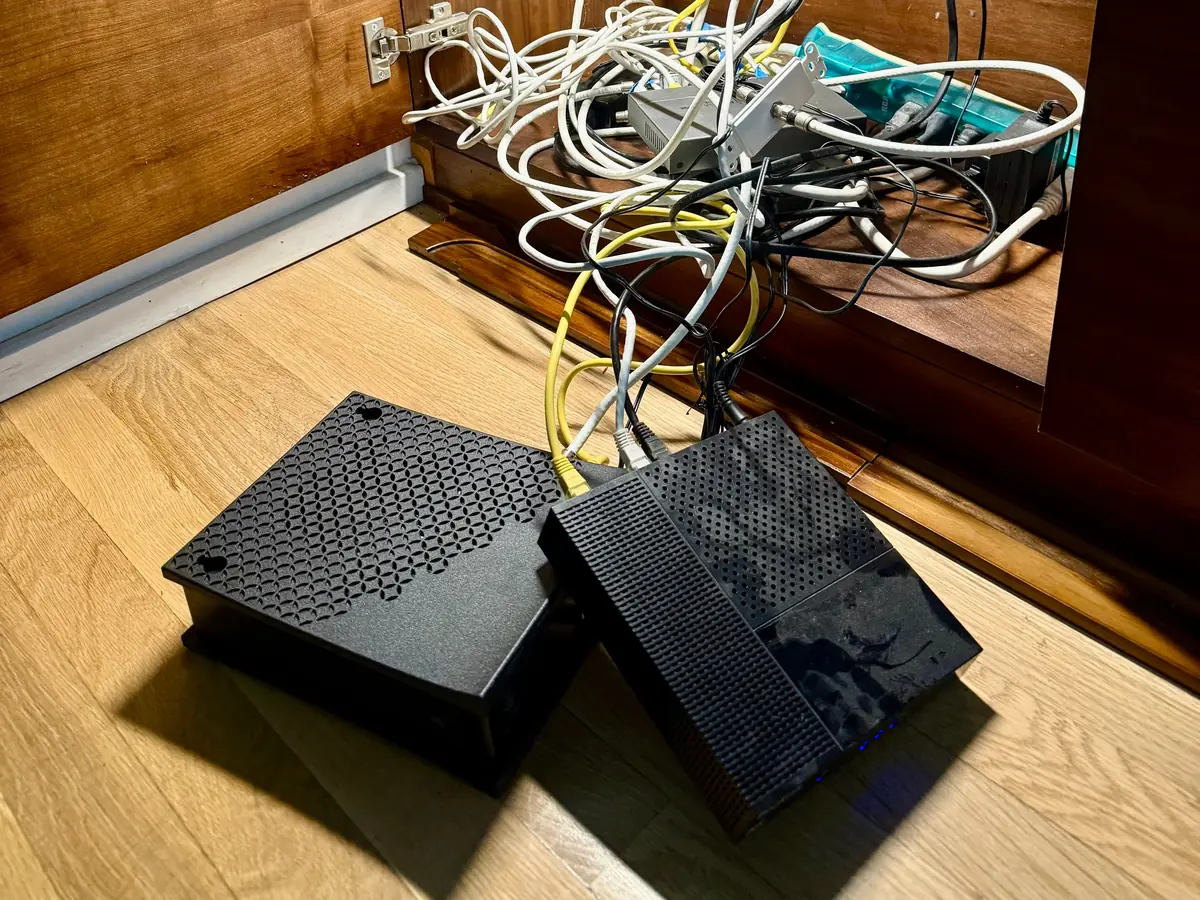
Two internet providers each ended in their own router, so the house had two separate networks, plus Eero mesh units and third-party routers on top. Several cameras on the existing system were offline. When we opened the cabinet, two modems sat on the floor with cables piled around them.
Gbit Tech replaced the mix of routers with a single UniFi network built around the cabinet. The customer went from cable internet to fiber, with Starlink as failover.
What stood in the way.
- Two internet providers feeding two separate routers and two independent networks.
- Eero units and third-party routers on top of the loose modems.
- Loose cable on the cabinet floor with no clear order.
- Several cameras offline on the existing system.
How we solved it.
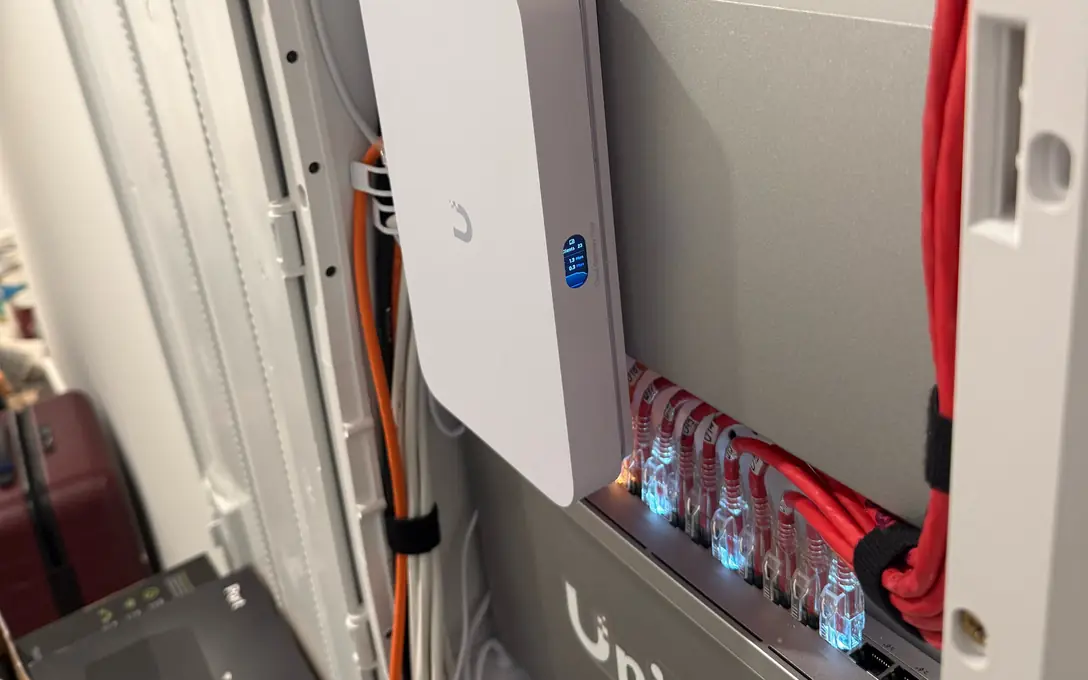
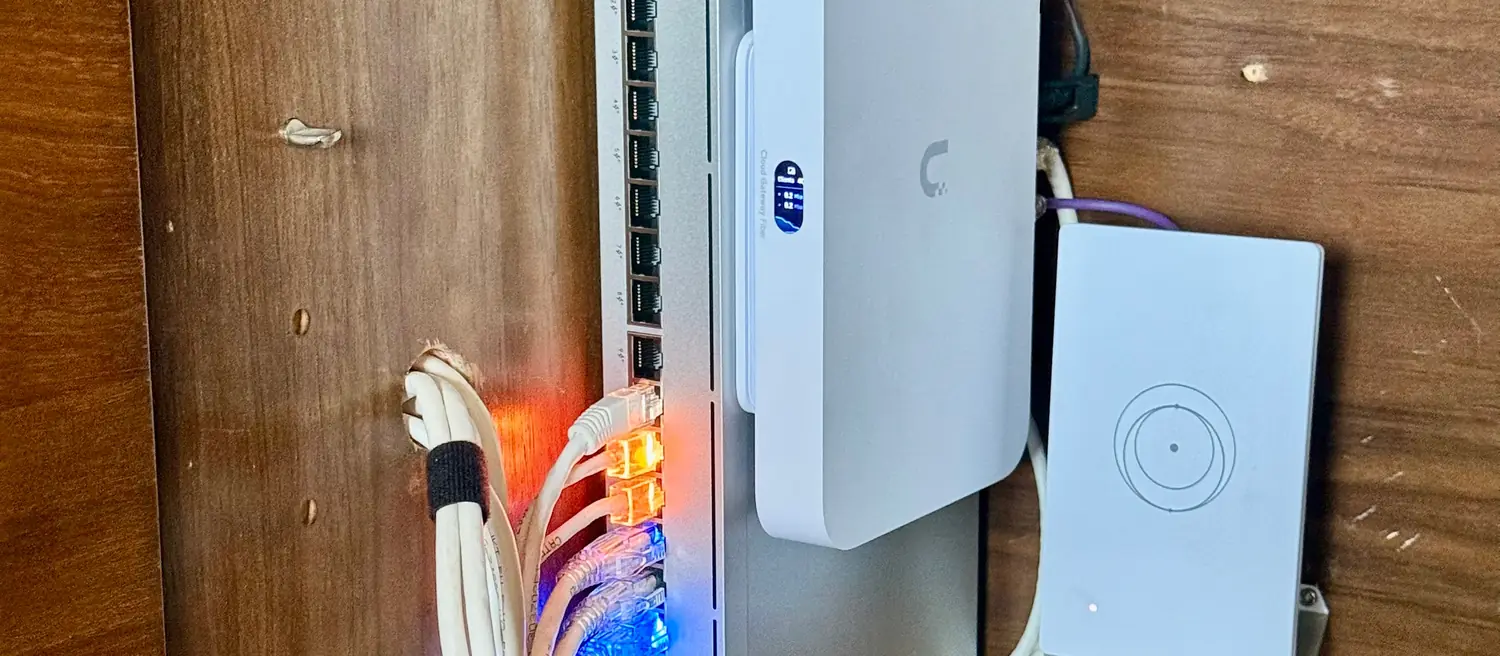
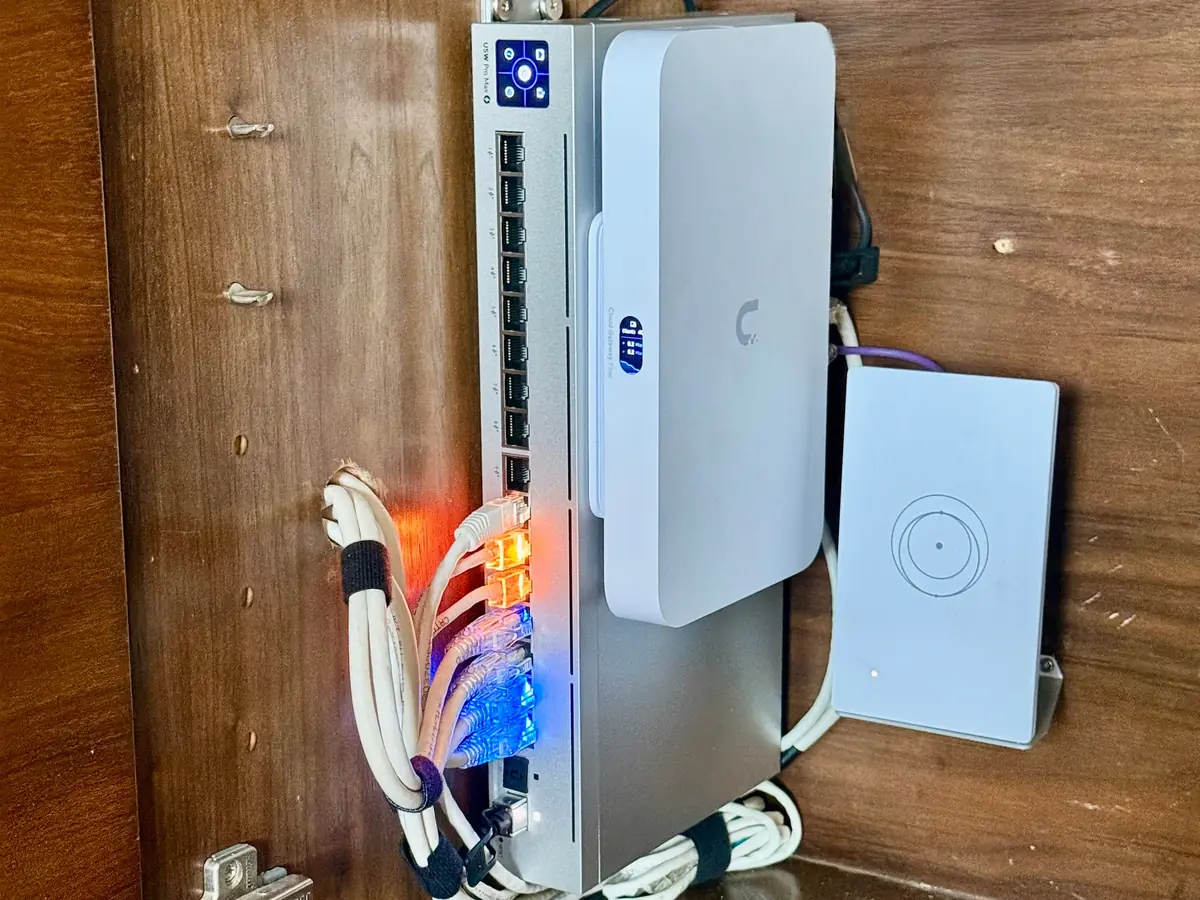
We removed the Eero units and the third-party routers and cleared the cabinet floor. A UniFi Cloud Gateway Fiber and a Switch Pro Max 16 PoE went up on the cabinet wall so they sit upright instead of on the floor, with the cable tied down and the ports easy to reach.
The rest of the scope was:
Key components:
What changed.
The floor of the cabinet is clear, the gateway and switch are fixed to the wall and the cable is tied down. The house now runs on one UniFi network instead of two separate ones.
What went in
- Cloud Gateway Fibermulti-WAN UniFi gateway mounted in the cabinet
- Switch Pro Max 16 PoELayer 3 switch with PoE++, mounted upright in the cabinet
- Two U7 Pro Wall access pointslower level
- U7 Pro XGS access pointupper-level TV area
- Tied-down cablecable held in ties along the equipment