Walk-In Closet UniFi Rack Rebuild
A Greater LA home kept its network in a recessed wall enclosure in a walk-in closet, with cable spilling out of it. Gbit Tech opened the wall, rebuilt the rack and labeled the ports.
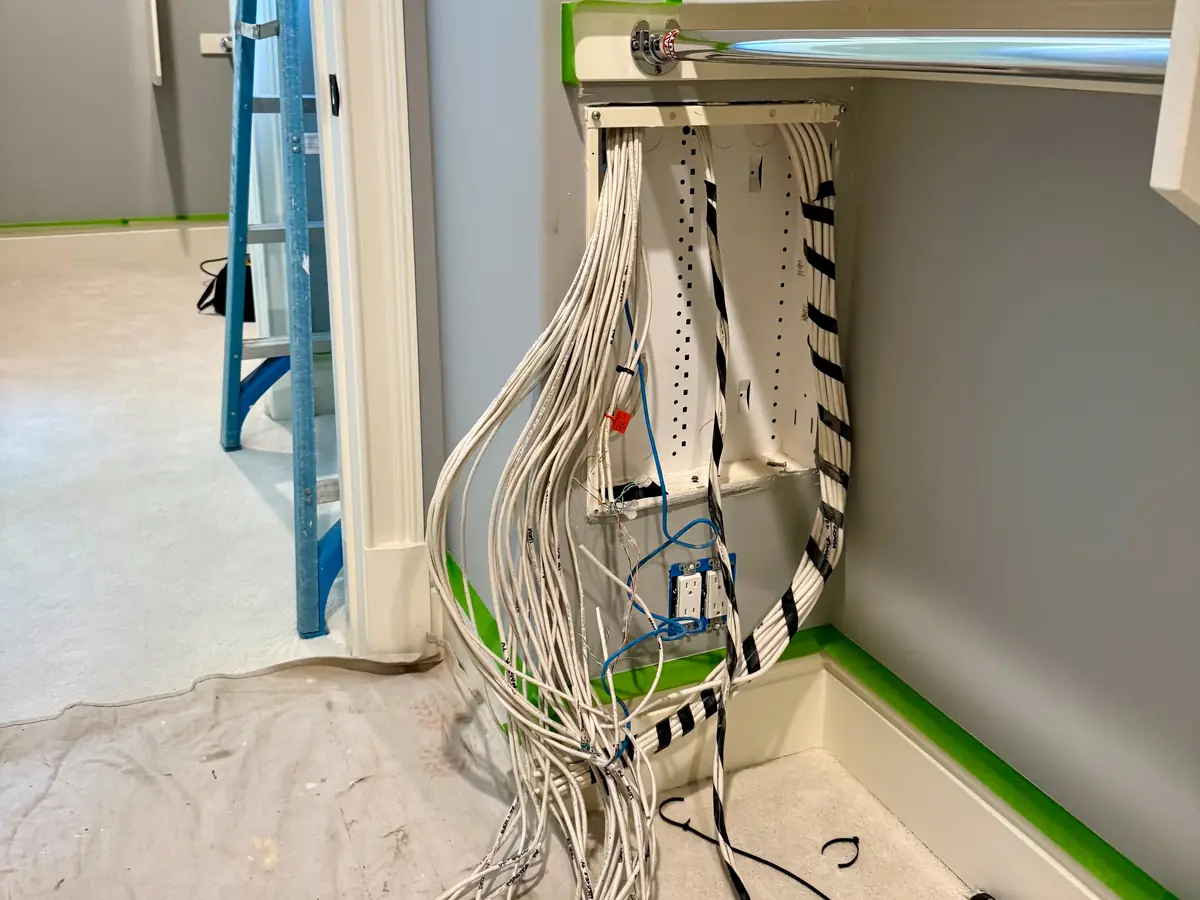
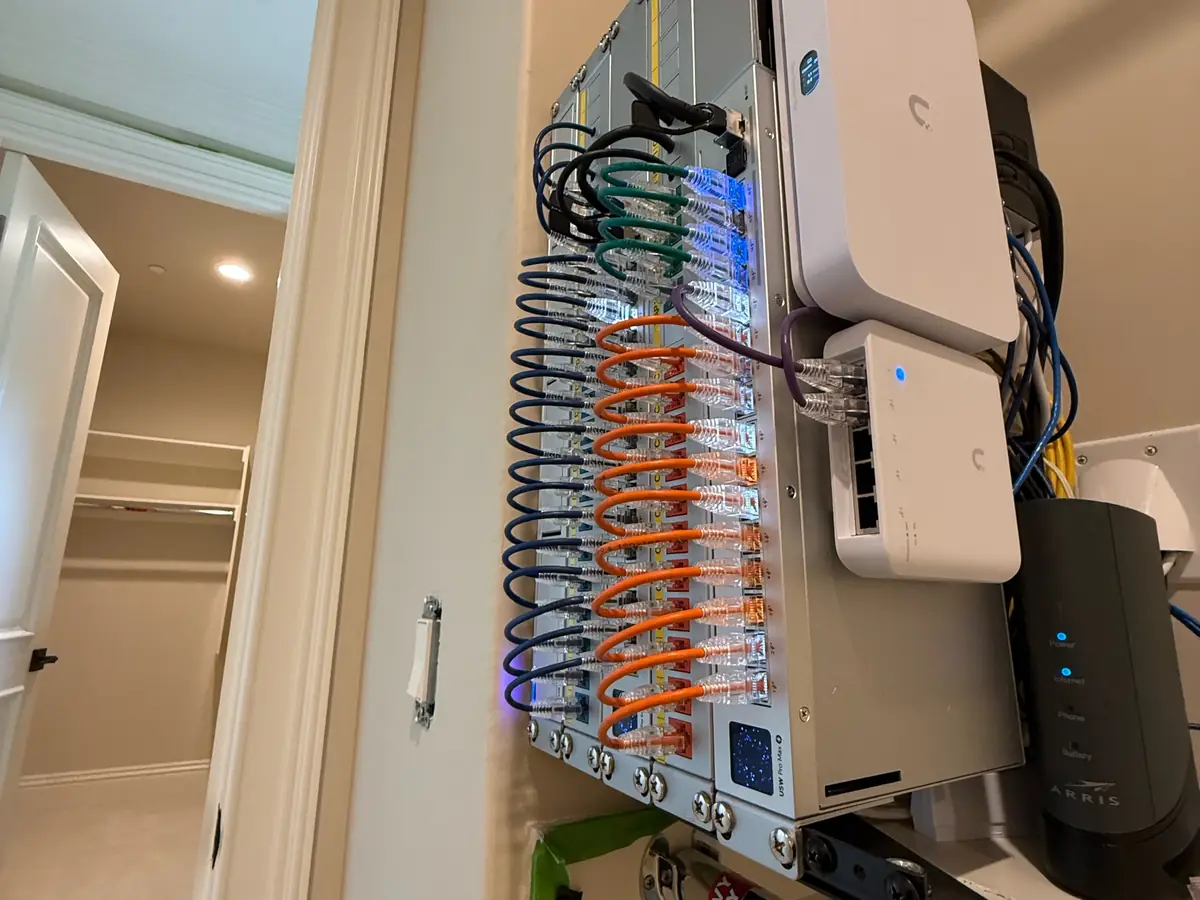
A homeowner in Greater Los Angeles kept the home network in a walk-in closet, in a recessed enclosure set into the wall.
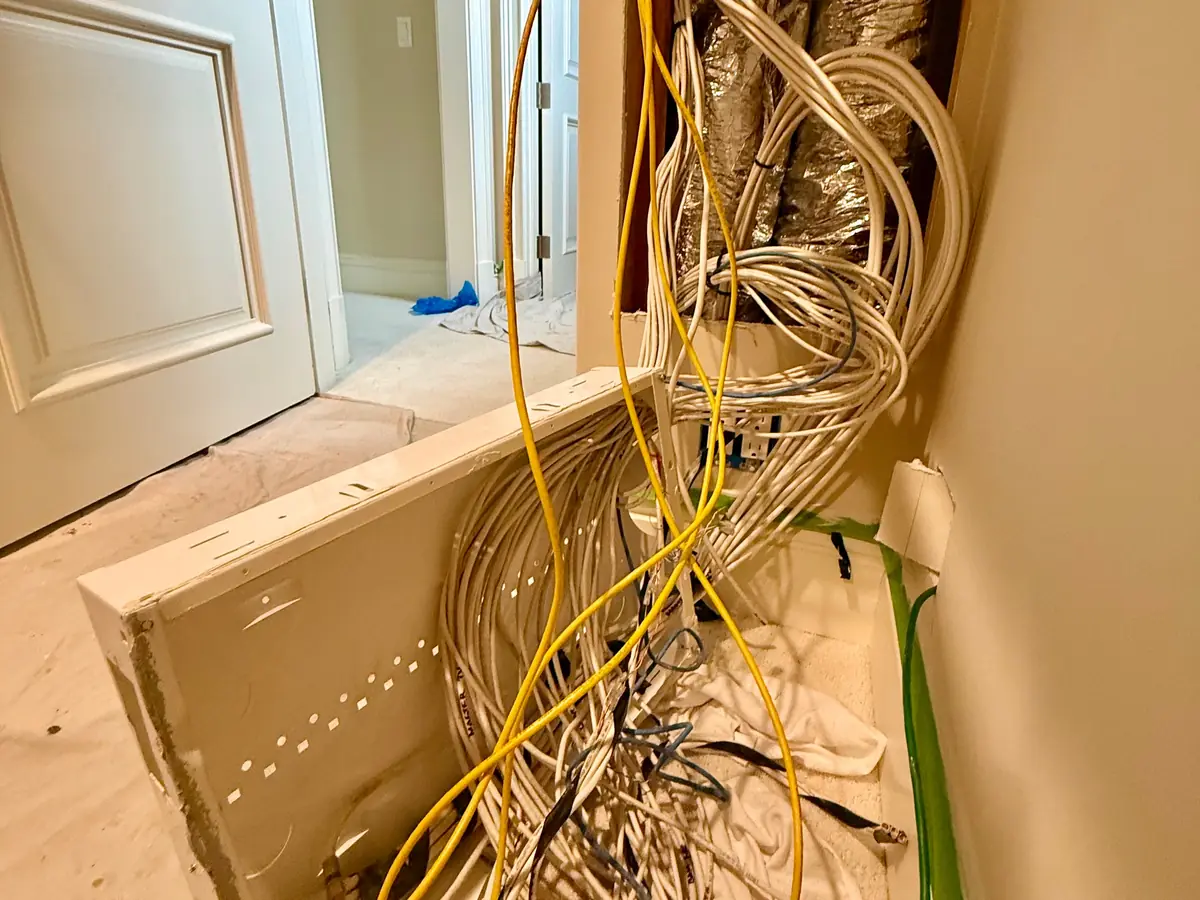
Over the years it had filled up. Cable hung out of it and nothing was labeled.
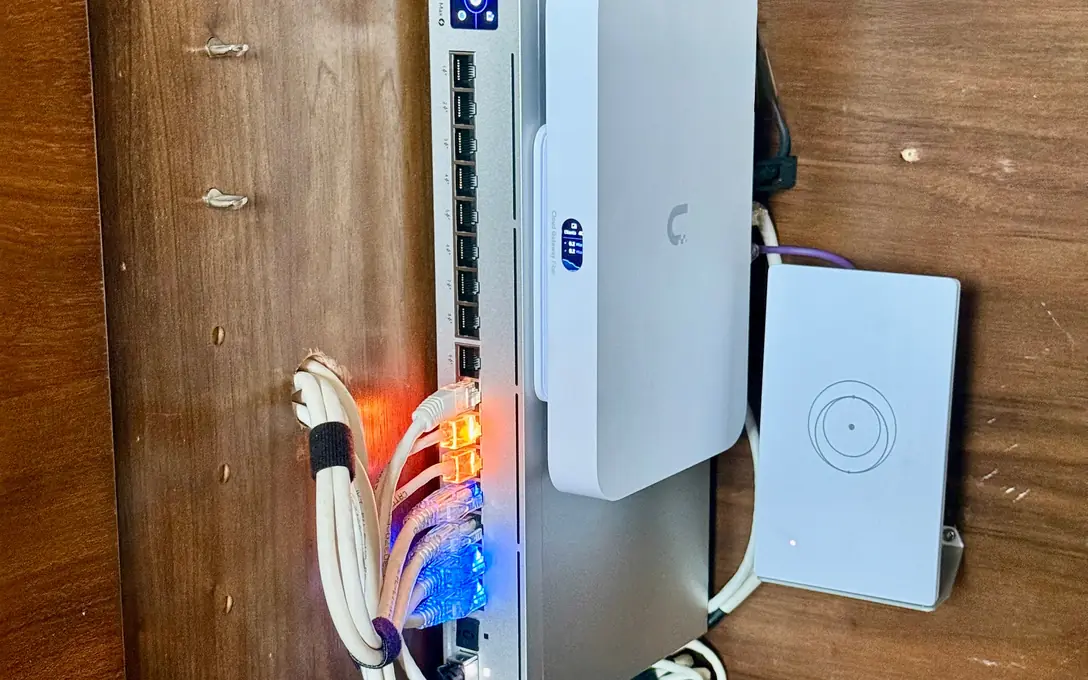
We rebuilt it as a wall-mount UniFi rack. The old enclosure came out, and the cable was sorted and labeled.
What stood in the way.
- A recessed wall enclosure that was too shallow and too crowded to work in.
- Unlabeled cable of different ages, with no clear record of where each run went.
- A finished walk-in closet, so floors and walls had to be protected while the work was open.
- A homeowner who wanted a closet that is easy to service and easy to add to.
How we solved it.
We protected the floor and baseboard, opened up the wall and pulled the old cable out of the enclosure. The cable was sorted, terminated and labeled, and the equipment moved onto a compact rack mounted on the wall. On new runs, Cat6A serves the data drops and access points, and Cat6 serves the cameras.
Key components installed:
Drywall patch and paint are left to the owner or a painter.
What changed.
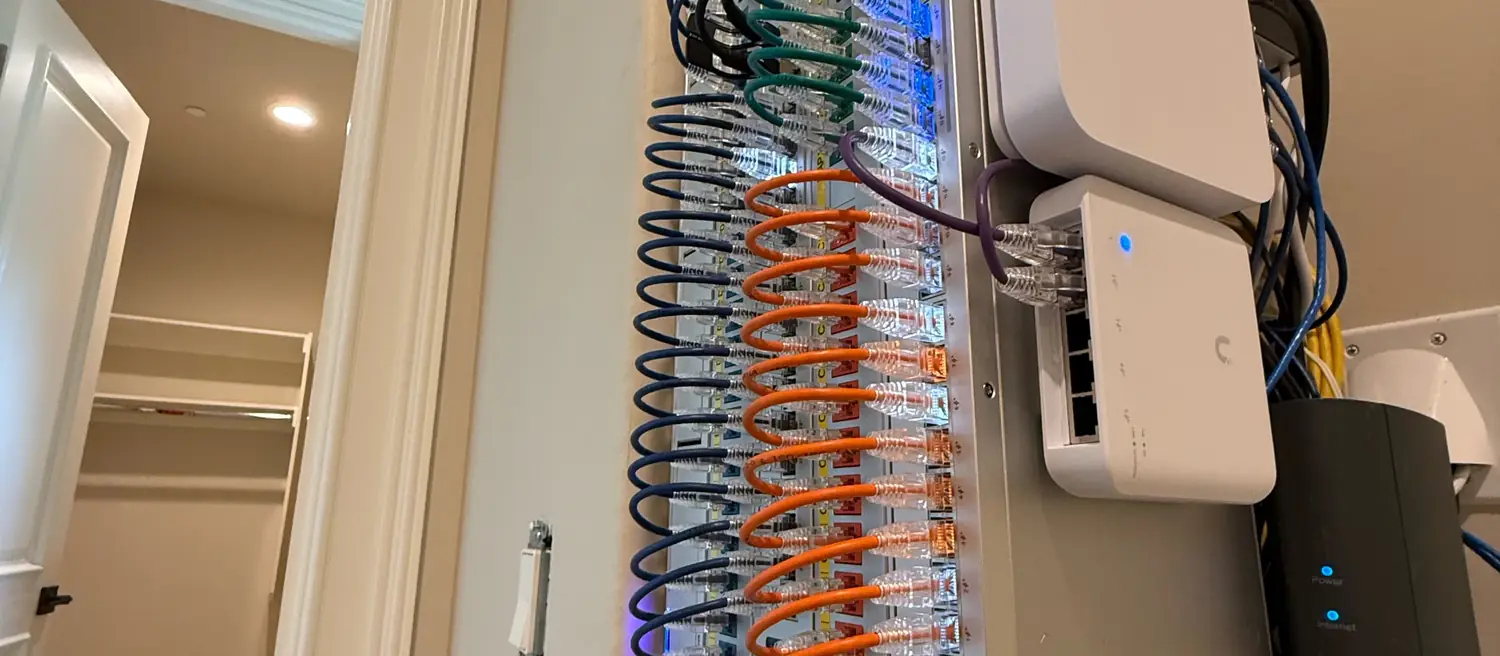
The rack is on the wall and every port is labeled. A technician can trace any run, and the owner can add a device without guessing.
What went in
- Wall-mount rackcompact rack in the closet, replacing the recessed enclosure
- UniFi switching and gatewayswitches and UniFi devices on the rack
- Labeled portsevery port named, so a run can be found at a glance
- Patch cablesshort cables between the devices on the rack
- Shelfthe ISP cable modem sits on a shelf beside the rack